





Table of Contents
Frequently Asked Questions
1. What is a UID number in the UAE?
The Unified Identification Number (UID) is a unique 9–15 digit code issued the first time you enter the UAE on a residence visa. It links all your immigration records (visas, Emirates ID, medical tests, and entry/exit history) under one profile.
2. Is the UID number the same as my Emirates ID?
No. The Emirates ID is a card that expires when your visa expires and needs renewal. The UID number is permanent and does not change, even if you switch jobs, get a new visa, or leave and return to the UAE.
3. Where can I find my UID number?
Your UID is printed on your residence visa inside your passport, usually above the file number. You can also retrieve it through government portals such as the GDRFA (Dubai) or ICP (Federal Authority for Identity and Citizenship).
4. Why is the UID number important?
Without your UID, applications for visas, Emirates IDs, and medical tests can be delayed or rejected. It acts as your permanent reference number across all UAE immigration and government systems.
5. What should I do if I have multiple UID numbers?
If you’ve been assigned more than one UID due to system errors, you must request a merge at the GDRFA. This ensures all your records are linked under a single UID and prevents problems with visa renewals or government services.
6. Does the UID number ever expire?
No. Unlike visas or Emirates IDs, which are issued for fixed periods, the UID number remains valid for life and stays linked to your immigration profile permanently.
7. Do business owners in Dubai need to know their UID number?
Yes. Your UID is essential in the backend of trade license issuance, visa stamping, and Emirates ID applications. It ensures that your company setup and residency processes are properly connected.
Topic Summary
1. What is the UID Number?
The Unified Identification Number (UID) is a unique code assigned to expatriates upon their first entry into the UAE on a residence visa. It serves as a central reference that links various government records, including visa status, Emirates ID details, medical test results, and immigration history.
2. Where to Find Your UID Number
Your UID number is typically printed on your visa stamp inside your passport. It usually appears as a nine-digit code and is distinct from your Emirates ID number. This code is essential for accessing many governmental and legal services in the UAE.
3. Importance of the UID Number
Unlike the Emirates ID, which acts primarily as an identity card, the UID number integrates multiple official records in the UAE’s federal system. It is used by immigration departments, healthcare providers, and other authorities to streamline processes and verify your identity accurately.
4. How the UID Number is Issued
The UID number is automatically issued by the Federal Authority for Identity and Citizenship (ICA) the moment a residence visa is stamped inside your passport. It remains constant throughout your stay in the UAE, even if you renew your residence visa or Emirates ID.
5. Using the UID Number for Services
You may be required to provide your UID number when applying for government-related services such as visa renewals, health insurance applications, and Emirates ID renewals. Keeping your UID number accessible facilitates smoother interactions with various administrative procedures.
Understanding the UID Number: A Complete Guide To Find Your Unified Identification Number in Dubai, UAE
Most people in the UAE know their Emirates ID, but not their UID number. Yet this code is just as important. It’s the key that links your visa, Emirates ID, medical tests, and immigration records together.
The numbers show just how many people this affects: the UAE’s population reached 11.3 million in 2024, a 5.7% increase year on year1, with expatriates making up around 88% of residents. In Dubai alone, the population surpassed 4 million in 2025, with over 208,000 new residents added in 20242 according to the Dubai Statistics Centre.
Every one of those new arrivals on a residence visa is automatically issued a UID number — making it one of the UAE’s most universally held yet least understood identifiers.
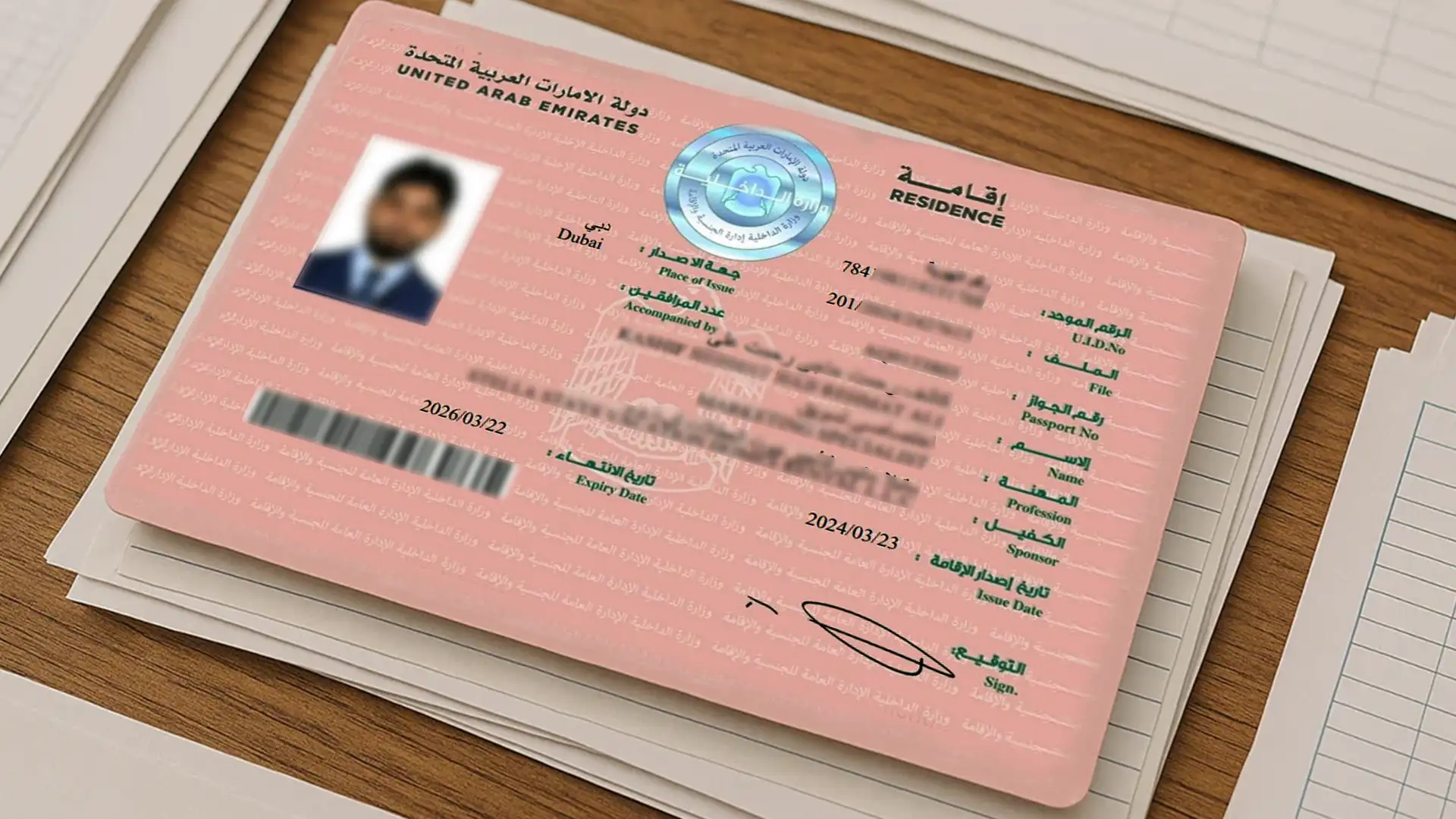
Your Unified Identification Number (UID) is issued the first time you enter the UAE on a residence visa. You’ll find it printed on your visa stamp inside your passport, usually as a nine-digit number above the visa file number.
So why does it matter?
You’ll need your UID for processes like visa renewals, Emirates ID applications, and medical screenings. Without it, these steps can get delayed or rejected.
The UID is not a formality. It is the permanent identity layer connecting nearly every resident, worker, and business owner in one of the world's most expatriate-dense nations.
.webp)
Source: Gulf News, citing Federal Competitiveness and Statistics Centre (FCSC), September 2025
We’ll break down exactly what it is, where to find it, and why it matters for your residency and business setup in Dubai.
[blockCTAContact]
Understanding the UID Number in the UAE
The Unified Identification Number (UID) is a unique 9–15 digit code assigned to every individual who enters the UAE on a residence visa.
Unlike your visa or Emirates ID, which are issued for fixed periods and need to be renewed, the UID is permanent.
It stays the same throughout your time in the UAE, even if you change employers, switch visas, or re-enter the country after leaving.
This is what makes the UID different.
- Visas are tied to your residency status and expire when your residency period ends, whether that’s two, three, or five years.
- Emirates IDs are also issued with expiry dates that match the length of your visa. Once your visa expires, you’ll need a new Emirates ID.
- The UID doesn’t expire and doesn’t change. It remains linked to your immigration record for life, acting as your permanent reference number in the UAE system.
You’ll need it for key steps like visa renewals, Emirates ID applications, or medical tests.
UID Number vs Emirates ID vs Residence Visa: Key Differences
| Feature | UID Number | Emirates ID | Residence Visa |
|---|---|---|---|
| Issued by | ICA / ICP automatically on first residence visa approval | ICP (Federal Authority for Identity and Citizenship) | GDRFA (Dubai) or ICP (other emirates) |
| Format | 9 to 15-digit number | Physical card with chip | Digital / e-Visa (Physical passport stamps discontinued) |
| Expires? | No. Permanent for life | Yes. Matches visa expiry date | Yes. 2, 3, or 5 years depending on visa type |
| Changes if you renew visa? | No. Stays the same | Yes. New card issued on renewal | Yes. New digital visa issued |
| Where to find it | Printed on your e-visa or entry permit, or via ICP / UAE Pass apps | Physical card carried by the holder | Accessible via ICP app, GDRFA portal, or UAE Pass |
| Primary purpose | Permanent unique identifier linking all immigration and government records | Proof of identity and residency for daily use | Legal authorisation to reside in the UAE |
| Required for | Visa renewals, Emirates ID applications, medical tests, trade license linkage | Banking, healthcare, government services, travel within UAE | Entry and legal stay in the UAE |
Source: UAE ICP (icp.gov.ae) and GDRFA Dubai (gdrfad.gov.ae).
[blockCTABizSetup]
The Importance of UID Number in the UAE
If you are staying in the UAE, your UID number is important. Here’s why it matters:
- Track your movements: The UID number helps immigration and visa departments to track your entry and exit movements. It also links multiple visa applications under a single profile.
- Easy government process: The UID number acts as a central reference across all government data base. It allows easy retrieval of personal records for government authorities.
- Integration of services: The UID number is required for your Emirates ID application, visa renewals, medical tests and residency visa stamping. It connects services like health insurance, residency permits and labour contracts.
- Easy business set up: When you start a company in the UAE, your passport is usually all you need to begin the application. Once your UID number is issued, it becomes the unique link between your visa, Emirates ID, and trade license. At Meydan Free Zone, we use this UID to connect and verify all your records instantly.
[blockCTACostCalculator]
Where To Find Your UID Number in the UAE
If you're already in the UAE or have applied for a visa, you can find your UID number in one of the following ways:
1. Residency Visa
Your UID number is printed at the top of your UAE visa, right above your file number. It’s typically a 9–15-digit number.
2. Government Portals
Log into online platforms like General Directorate of Residency and Foreigners Affairs (GDRFA) , or Federal Authority for Identity and Citizenship (ICP) to find your UID number.
Merging Multiple UID Numbers in the UAE
If you have more than one UID number due to a system errors or unlinked immigration records. It’s important to fix it quickly to avoid issues with your visa and immigration records. The General Directorate of Residency and Foreigners Affairs (GDRFA) can help you merge them into a single UID.
Here’s how:
- Visit the GDRFA office or check their website for the nearest branch.
- Bring the required documents, including:
- Valid passport copy
- Copies of all entry visas linked to the different UID numbers (even expired or cancelled ones)
- Emirates ID (if applicable)
- Completed UID merge application form
- Submit a UID Merge Request at the office or through the GDRFA portal.
- Pay the fee and wait for confirmation.
Once processed, all your records will be linked under one UID, making future visa applications and services smoother.
[blockCTANameCheck]
UID Number and Business Owners: How Meydan Free Zone Makes Everything Easy
If you’re planning to start your business in Dubai, your UID number plays a key role in your trade license, residence visa, and Emirates ID application. It’s a must-have document in the backend processes.
From helping you merge your UID number to guiding you through your Emirates ID application and medical test appointments, Meydan Free Zone offers full support in every step. With a fully digital platform, 100% foreign ownership, expert assistance, and seamless government coordination, setting up your UAE business is faster and easier.
Excited to start your new life in the UAE? Speak to a Meydan Free Zone expert now.
Citations
1 Federal Competitiveness and Statistics Centre, via Gulf News.. UAE population hits 11.3 million in 2024. Gulf News, 2025.
2 Dubai Statistics Centre, via Gulf News.. Dubai records fastest population growth in its history, surpassing 4 million residents. Gulf News, 2025.