






Table of Contents
Frequently Asked Questions
How do I track my Emirates ID?
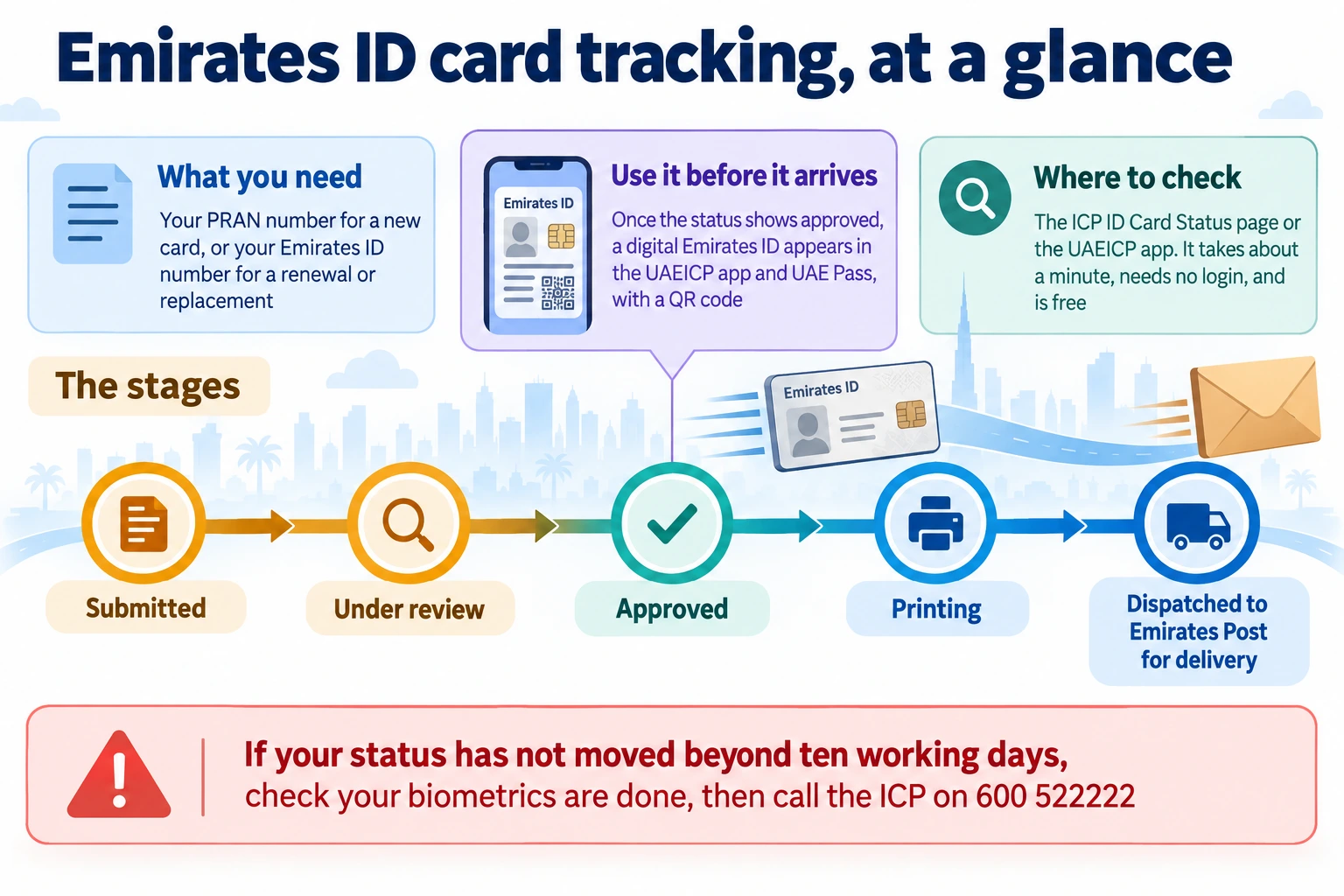
Use the ICP ID Card Status page or the UAEICP app, and enter your PRAN application number for a new card, or your Emirates ID number for a renewal or replacement. Emirates ID card tracking takes about a minute, needs no login, and is free on all official ICP channels.
What is a PRAN, and where do I find it?
The PRAN is your Personal Reference Application Number, assigned when you apply for a new Emirates ID. It is the key reference for tracking. You will find it on your typing-centre receipt, or in the confirmation SMS or email. If you lose it, call the ICP on 600 522222 with your passport details.
Can I track my Emirates ID with just my passport number?
Partly. The File Validity tool on ICP Smart Services accepts a passport number and shows whether your card and visa are valid, but not the live application stage. To track a card being processed, you generally need your PRAN or your Emirates ID number instead.
My Emirates ID status has not changed in days. What should I do?
If it stays on Under Review beyond about ten working days, first check your biometrics were completed, then call the ICP on 600 522222 with your PRAN. Most delays are a biometrics mismatch or a pending medical clearance, and are usually resolved within about 48 hours of contact.
Can I use my Emirates ID before the physical card arrives?
Yes. Once your Emirates ID tracking shows Approved, a legally valid digital Emirates ID appears in the UAEICP app and UAE Pass, with a QR code you can use for most transactions. The physical card is still required for border control and certain official procedures.
Does Meydan Free Zone help with Emirates ID tracking?
If your residency runs through Meydan Free Zone, your Emirates ID application and its PRAN are generated when your visa process begins, and mResidency tracks it and handles the process from biometrics through to delivery, with status updates. You can still check the status yourself on the ICP at any time.
Topic Summary
Start with the official ICP check
The most common mistake in emirates id card tracking is using the wrong portal, which often returns a blank result even when your record is live. Use the ICP website or UAEICP app first for the fastest, free check.
Keep the right number ready
For a new card, use your PRAN or application number from the receipt, SMS, or email. For a renewal or replacement, your existing Emirates ID number usually works best and saves time.
Know what each stage means
A live result can show stages like under process, printed, dispatched, or delivered. That tells you whether to wait, prepare for delivery or collection, or follow up instead of making a wasted trip.
The check is quick and free
Emirates id card tracking takes about one to three minutes on official channels and costs nothing. The useful thing to understand is that the check is fast, while the full issuance timeline can still take longer.
Use backups when PRAN is missing
If you cannot find your PRAN, try your Emirates ID number, the ICP File Validity tool, or call ICP support on 600 522222 with your passport details. This keeps you moving instead of repeating failed searches.
Do not panic over blank results
A no-record result often means an input typo, old passport detail, early system delay, or the wrong search channel, not a failed file. Recheck the number exactly as submitted and try again after a reasonable interval.
Emirates ID Card Tracking: Check Status Online in UAE
Waiting for your Emirates ID to arrive can be nerve-racking, especially when you need it for a bank account or a tenancy. The good news is that Emirates ID card tracking is quick, free, and something you can do yourself in about a minute. Whether your card is a new application, a renewal or a replacement, you can check where it is in the process online. This guide explains how Emirates ID card tracking works, what you need, what each stage means, and what to do if it seems stuck.
In short, you track your Emirates ID on the ICP portal or app using your application or ID number. You can watch it move from processing to printing to delivery. Here is how it works.
Key Facts at a Glance
| Where to track | The ICP website or the UAEICP app |
| What you need | Your PRAN application number, or your Emirates ID number |
| The cost | Free, on all official ICP channels |
| A useful feature | A digital Emirates ID appears in the app once approved |
| If it is stuck | Call the ICP on 600 522222 after 10 working days |
What You Need to Track Your Emirates ID
Before you start, it helps to have the right reference number, since that is what the system searches on. Which one you need depends on your situation.
For a new Emirates ID application, you need your PRAN, the Personal Reference Application Number assigned when you applied. You will find it on your typing-centre receipt, or in the confirmation SMS or email. For a renewal or a replacement, your existing 15-digit Emirates ID number works as the reference instead. If you have lost your PRAN, call the ICP on 600 522222 with your passport details, or use the File Validity tool instead.
How to Track Your Emirates ID Online
With your reference number ready, Emirates ID card tracking takes about a minute. There are a few official ways to do it.
- The ICP website: Open the ICP ID Card Status page, enter your PRAN or Emirates ID number, and submit. No login is needed.
- The UAEICP app: Open the app, go to the ID Card Status or Application Tracking service, and enter your number.
- The File Validity tool: On ICP Smart Services, this checks whether your card and visa are valid using your passport number, but not the live application stage.
- SMS updates: The ICP also sends status updates to the mobile number registered with your application.
All of these are free. For a quick manual check, the ICP ID Card Status page is simplest when you have your PRAN or ID number.
Understanding the Status Stages
When you run an Emirates ID card tracking check, you will see one of several stages. Knowing what each means saves a lot of worry.
| Status | What it means |
| Submitted or received | Your application is in the ICP system |
| Under review or processing | The ICP is verifying your details and biometrics |
| Approved | Your application is cleared and the card is being prepared |
| Printing | Your card is being printed |
| Dispatched | The card has been handed to Emirates Post for delivery |
Most of the wait for a new card is the review stage, where residency and biometrics are verified. Once you reach Approved, the rest usually moves quickly.
Free Business Setup Cost Calculator
Calculate NowYour Digital Emirates ID While You Wait
One feature makes the waiting much easier, and many residents do not know about it. You do not have to be without an ID while the card is printed.
Once your Emirates ID card tracking shows Approved, a legally valid digital Emirates ID appears in the UAEICP app and UAE Pass. It generates a QR code, saves to your phone's wallet, and is accepted for most government and private transactions. So even before the physical card arrives, you have valid proof of identity for accounts and everyday tasks. The physical card is still needed for border control and a few official procedures.
Tracking Delivery of the Card
After printing, tracking shifts from the ICP to the courier. This is the final stretch.
Once dispatched, the card is delivered by Emirates Post, usually within one to two weeks. You can track the delivery using the details in the ICP notification. After three failed delivery attempts, the card is held at your nearest Emirates Post branch for 30 days. Collect it with your original passport before it is returned to the ICP. Watching the delivery stage means you do not miss this window.
What to Do if Your Status Is Stuck
Occasionally an Emirates ID tracking check shows no movement for a while. Usually there is a simple reason, and a simple fix.
If your status stays on Under Review beyond about ten working days, first confirm your biometrics were completed. If they were, call the ICP on 600 522222 with your PRAN. Most delays are a biometrics mismatch or a pending medical clearance, often resolved within about 48 hours of contact. If your reference number returns no result, check the format carefully. If it still fails, try your passport number in the File Validity tool instead.
How Meydan Free Zone Fits In
The PRAN you track with is generated when your Emirates ID application is submitted. If your residency runs through Meydan Free Zone, that whole application is handled for you, through mResidency.
- The PRAN is generated for you: When your visa process begins, your Emirates ID application and its PRAN are triggered automatically, so you are not left hunting for a reference number.
- The tracking is managed for you: mResidency follows the application from biometrics and medical through to printing and delivery, with status updates, so you are not refreshing the ICP page.
- The card reaches you: The physical Emirates ID can be delivered to you, with an optional fast-track, rather than left to chase through the courier.
So while you can always track your Emirates ID yourself on the ICP, a Meydan Free Zone setup handles the application behind it, and its tracking, from the start.
Conclusion
Emirates ID card tracking is straightforward and free. Use your PRAN for a new application, or your Emirates ID number for a renewal or replacement, and check on the ICP website or the UAEICP app. You can follow your card from processing through printing to delivery. Once it reaches Approved, you can use your digital Emirates ID straight away.
Keep your PRAN safe, and check your status if it is taking longer than expected. The digital ID covers you until the physical card arrives. If anything stalls beyond ten working days, a quick call to the ICP usually sorts it out. And if your residency runs through Meydan Free Zone, the application behind your PRAN is tracked and managed for you.
Ready to Launch Your Business in Dubai?
Let's Connect